Thank you — your licence is on its way.
The payment went through and your licence file is being generated and emailed to the address you used at checkout. It normally arrives within a minute.
Three steps
Installing your licence
The app does not watch a folder and there is nothing to drag — the licence is imported from inside the application, once.
-
Save the attachment. The email carries a small
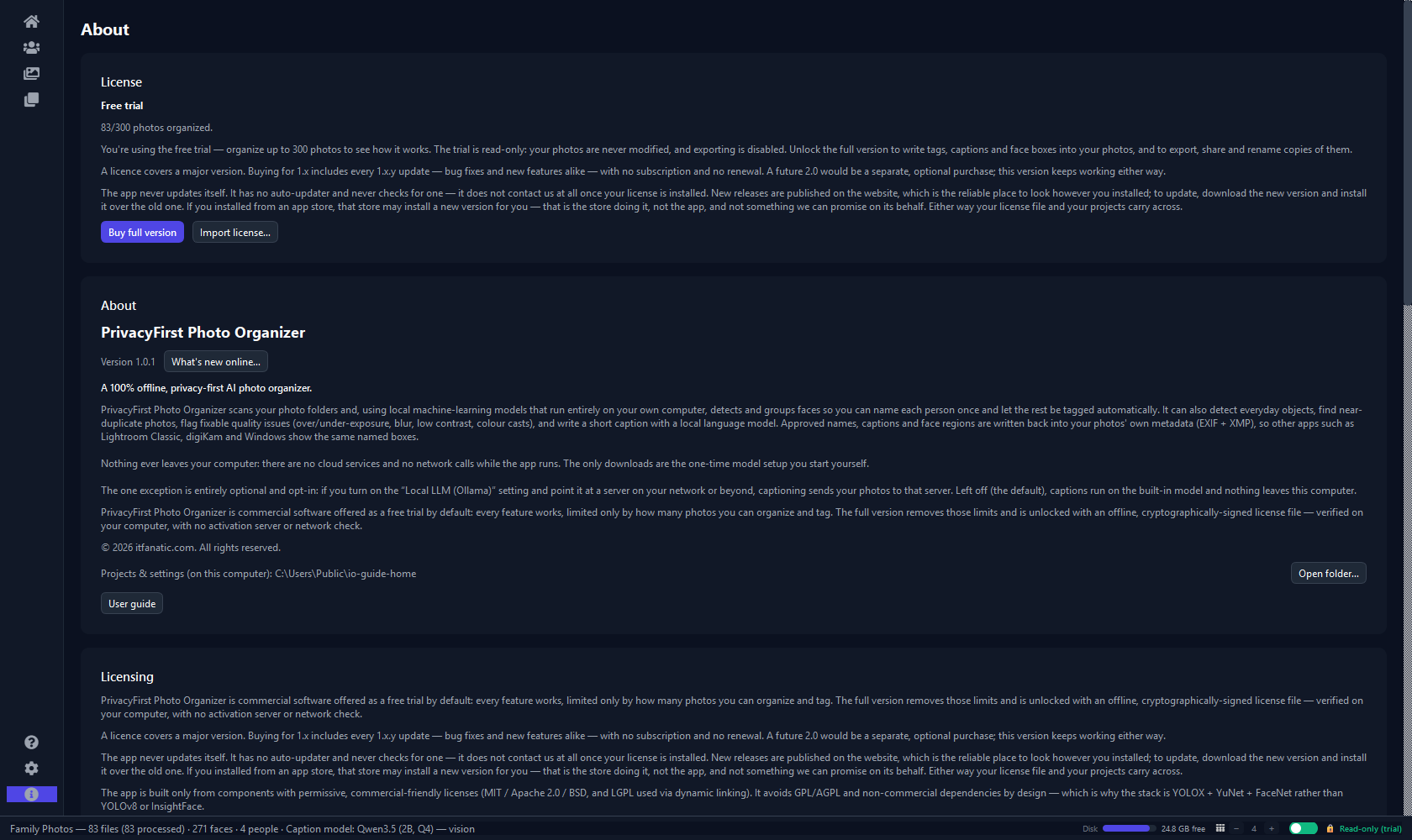
.licfile. Anywhere will do — you do not need to put it in a particular folder, and you will not need it again afterwards. - Open the app and go to About → Import license… — then choose the file you just saved. If you are running the trial, the activate dialog reaches the same importer.
- That is the whole activation. The app verifies the licence before storing it, so a damaged attachment can never displace a working licence. Writing, renaming, moving and exporting all unlock immediately.
While you wait
Get the application
If you have not installed it yet, download it now — the licence you were just emailed works with it straight away.
Read the guide
The five-minute tour takes a folder of unsorted photographs to a searchable, named library. It is the fastest way to get a feel for the workflow.
Anything wrong?
Bugs and feature requests go to the public issue tracker. Anything about your purchase or licence comes straight to us.